
A website isn’t something you launch and forget. Whether you run an e-commerce store, a corporate site, or a digital service platform, maintenance determines how well it performs, scales, and secures your brand reputation. In 2025, with faster technologies, growing cybersecurity threats, and evolving user expectations, website maintenance has become less about occasional fixes and more about continuous performance optimization.
That is why we are sharing the optimal website maintenance checklist for 2025 that will allow you to keep your site fast and secure.
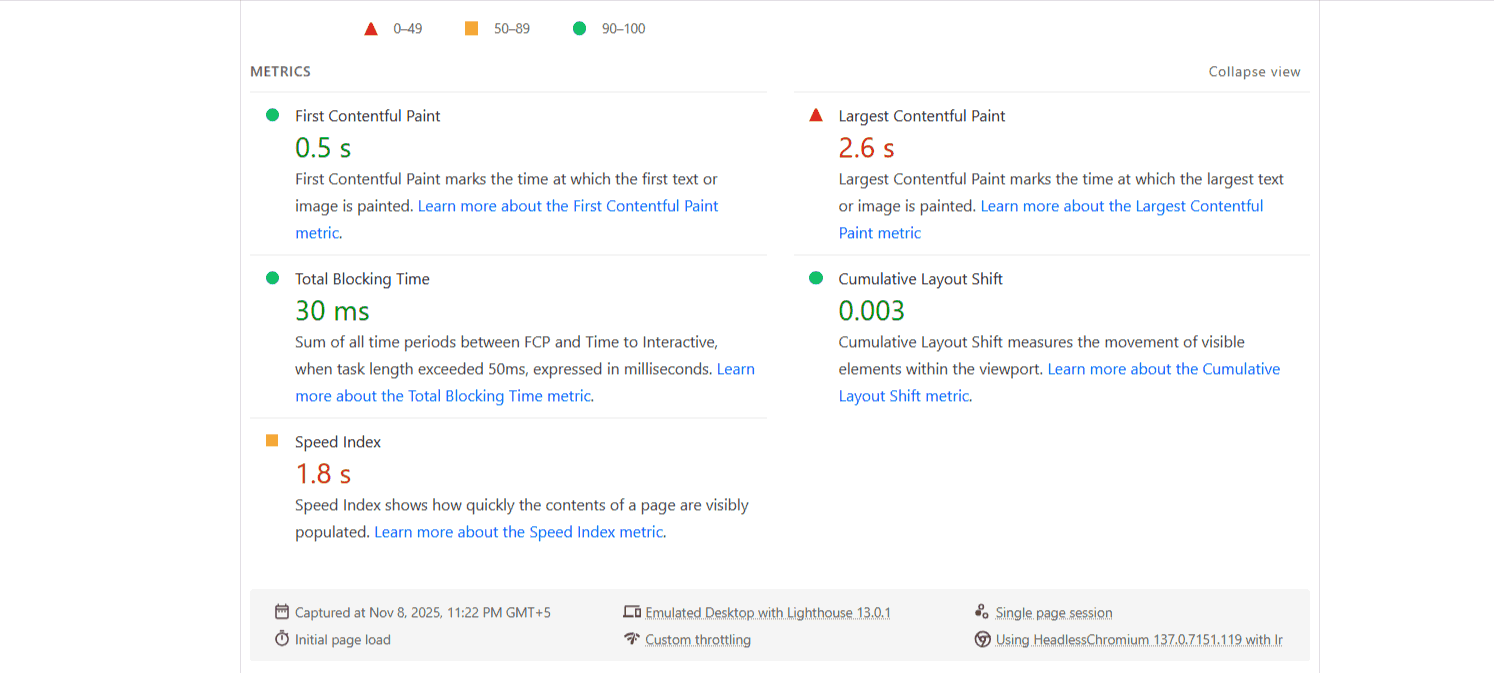
Start every month by running a speed test using Google PageSpeed Insights or GTmetrix. You’re looking for a score above 90 on mobile, but more importantly, you need to identify what’s slowing you down. The usual suspects are unoptimized images, render-blocking JavaScript, and bloated CSS files. Use modern image formats like WebP, implement lazy loading for images below the fold, and minify your CSS and JavaScript files. If your Time to First Byte (TTFB) exceeds 600ms, your hosting is the bottleneck. That is where you will need to upgrade or switch the service providers. Your website security is non-negotiable. Outdated plugins, themes, and CMS versions are open invitations for hackers. That is why you must set aside 30 minutes every week to update everything: WordPress core, plugins, themes, and server software. Before updating, a good rule of thumb is to back up your entire site. If you’re not comfortable handling technical updates yourself, professional website development services in Blackpool, UK can manage this process for you, ensuring updates are tested and deployed safely. Test updates on a staging environment if possible, especially for major version changes. Check your SSL certificate expiration date monthly and renew at least 30 days before it expires. Enable automatic HTTPS redirects if you haven’t already. Run security scans using tools like Sucuri or Wordfence. Monitor for malware, check file integrity, and review user accounts for suspicious activity. Remove any admin accounts you don’t recognize and enforce strong password policies for all users. Before you even realize it, the dead links frustrate users and hurt your SEO drastically. That is why we strongly recommend using tools like Screaming Frog or Ahrefs to crawl your site quarterly and identify broken links, both internal and external. Fix or remove them promptly. Review your top-performing content every quarter. Update statistics, refresh outdated information, and improve thin content that’s underperforming. Google rewards freshness, especially for time-sensitive topics. Add internal links from new content to older, relevant pages to distribute link equity and improve site architecture. Check and fix duplicate content issues using Copyscape or Siteliner. Canonicalize duplicate pages or consolidate similar content to avoid diluting your ranking power. Your XML sitemap should automatically update, but verify this monthly. Submit any changes to Google Search Console and Bing Webmaster Tools. Also, do not forget to review your robots.txt file to ensure you’re not accidentally blocking important pages from search engines. Monitor your site for crawl errors in Google Search Console weekly. Fix 404 errors, resolve soft 404s, and address any server errors immediately. These technical issues directly impact how search engines index and rank your pages. Plus, check your structured data markup quarterly. Use Google’s Rich Results Test to ensure your schema markup is valid and enhancing your search appearance. Implement or update the schema for products, reviews, FAQs, and articles to maximize visibility in search results. Review your site’s mobile usability monthly. More than 60% of searches happen on mobile devices, and Google uses mobile-first indexing. Test tap targets, font sizes, and viewport configuration to ensure a seamless mobile experience. Your database accumulates junk over time, post revisions, spam comments, transient options, and orphaned data. Clean it monthly using plugins like WP-Optimize or Advanced Database Cleaner for WordPress sites. Optimize database tables, remove unused plugins completely (not just deactivate them), and clear expired transients. This keeps queries fast and prevents unnecessary database bloat that slows down your entire site. Review your CDN configuration quarterly if you’re using one. Ensure all static assets are being served from the CDN and check cache hit rates. A properly configured CDN can reduce server load by 60% or more during traffic spikes. Automated backups are essential, but useless backups are worse than no backups. Test your backup restoration process quarterly to ensure you can actually recover your site when disaster strikes. Store backups in multiple locations, on your server, in cloud storage, and locally. Keep at least 30 days of daily backups and 12 months of monthly backups. Document your restoration process so anyone on your team can handle an emergency. Review your Google Analytics data monthly for anomalies. Look for sudden traffic drops, unusual bounce rates, or conversion rate changes. These often indicate technical problems before users report them. Check that your analytics tracking is working correctly across all pages. Verify goal completions, event tracking, and e-commerce transactions are recording properly. Missing analytics data means missing revenue opportunities. Monitor your page load times in Google Analytics under Behavior > Site Speed. Identify consistently slow pages and prioritize them for optimization. Test your contact forms, checkout process, and other critical user journeys monthly. Nothing kills conversions faster than a broken form or payment gateway. Submit test transactions, fill out forms, and click through your conversion funnels as a real user would. You should review your website’s accessibility quarterly using tools like WAVE or Lighthouse. Not to mention, incorporate proper heading hierarchy, alt text for images, keyboard navigation, and sufficient color contrast. Website maintenance isn’t glamorous, but it’s what separates thriving websites from abandoned digital storefronts. Schedule these tasks, assign responsibility, and track completion. Your users, your search and AI Overviews rankings, and your bottom line will thank you. Remember, prevention is cheaper than crisis management. An hour of maintenance beats a day of emergency fixes every single time. Moiz Banoori is a seasoned Digital Marketing professional with over eight years of expertise in content creation and digital journalism. At REDLUMB, he spearheads teams to craft impactful SEO strategies that drive online growth and visibility. With a background in journalism, Moiz leverages his expertise in digital marketing to develop effective strategies that boost online visibility and help clients achieve their goals.
Monthly Performance Audits
Security Updates Every Week
Content Health Checks
Technical SEO Maintenance
Database & Backend Optimization
Backup & Recovery Testing
Analytics & Conversion Monitoring

User Experience Checks